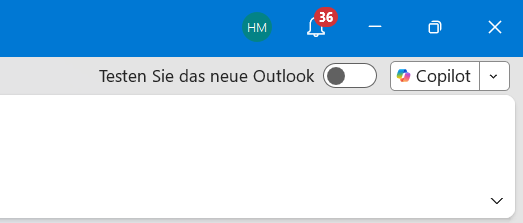
Microsoft has released a patch for the classic version of Outlook to address a bug that caused the Copilot Chat and Copilot buttons to disappear for some users. The issue affected accounts with a valid Copilot license or a paid Microsoft 365 Copilot subscription.
The problem was identified after the release of build 20026.20182 and later versions. Users reported that the Copilot icon was missing from the application bar or the 'More Apps' section. In some cases, attempting to add the tool via the 'Add Apps' menu resulted in no response, or the command appeared greyed out in the ribbon.
According to Microsoft, the error occurred because Outlook failed to retrieve necessary account information from user profiles. The company suggests that users still experiencing issues use the official Copilot troubleshooting tool to verify their configuration and license status.
For those who do not see the button after the update, Microsoft recommends a manual workaround. Users can navigate to File, Options, and Advanced, then ensure the 'Show Apps in Outlook' setting is enabled under the Outlook Panes section. Alternatively, users can access Copilot via the web version of Outlook or the new Outlook application.