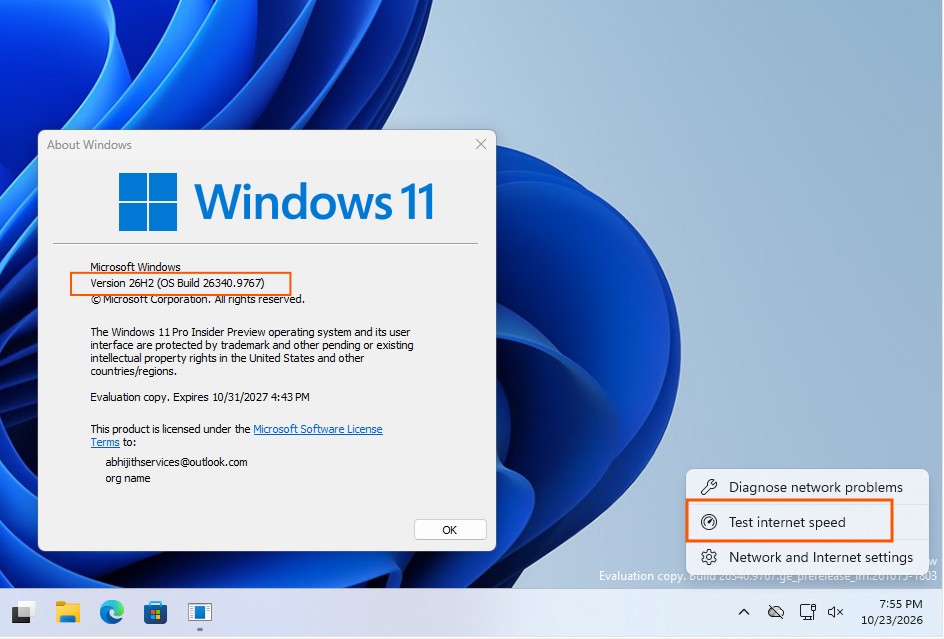
Microsoft has updated the network speed test feature in the Windows 11 Build 26340.9767 preview version. The system no longer redirects users to the Bing search engine via a web browser to perform speed checks.
The new implementation uses a native pop-up window within the Quick Settings menu. Users can initiate the test directly from the Speed Test tile, Wi-Fi or cellular network panels, or by right-clicking the taskbar network icon.
The tool remains powered by Ookla Speedtest technology. It measures ping, download, and upload speeds while supporting both light and dark system themes. The interface is designed to function regardless of the taskbar position.
To access the feature, users must navigate to Settings, Windows Update, Windows Insider Program, and Feature Flags to manually enable the Speed Test option. Microsoft is currently using a controlled feature rollout and has not provided a timeline for a general release.