Microsoft advises against disabling the page file in Windows 11, even for systems equipped with 32GB of RAM. According to official documentation, the size of the page file should be determined by actual workload requirements and crash dump needs rather than fixed capacity formulas.
The page file, known as pagefile.sys, acts as a backup space on storage drives. Windows uses it to move infrequently accessed data from physical RAM, which helps manage system memory efficiently. Disabling this feature reduces the limit of 'committed memory,' which can lead to application crashes or system instability when memory allocation requests hit the ceiling.
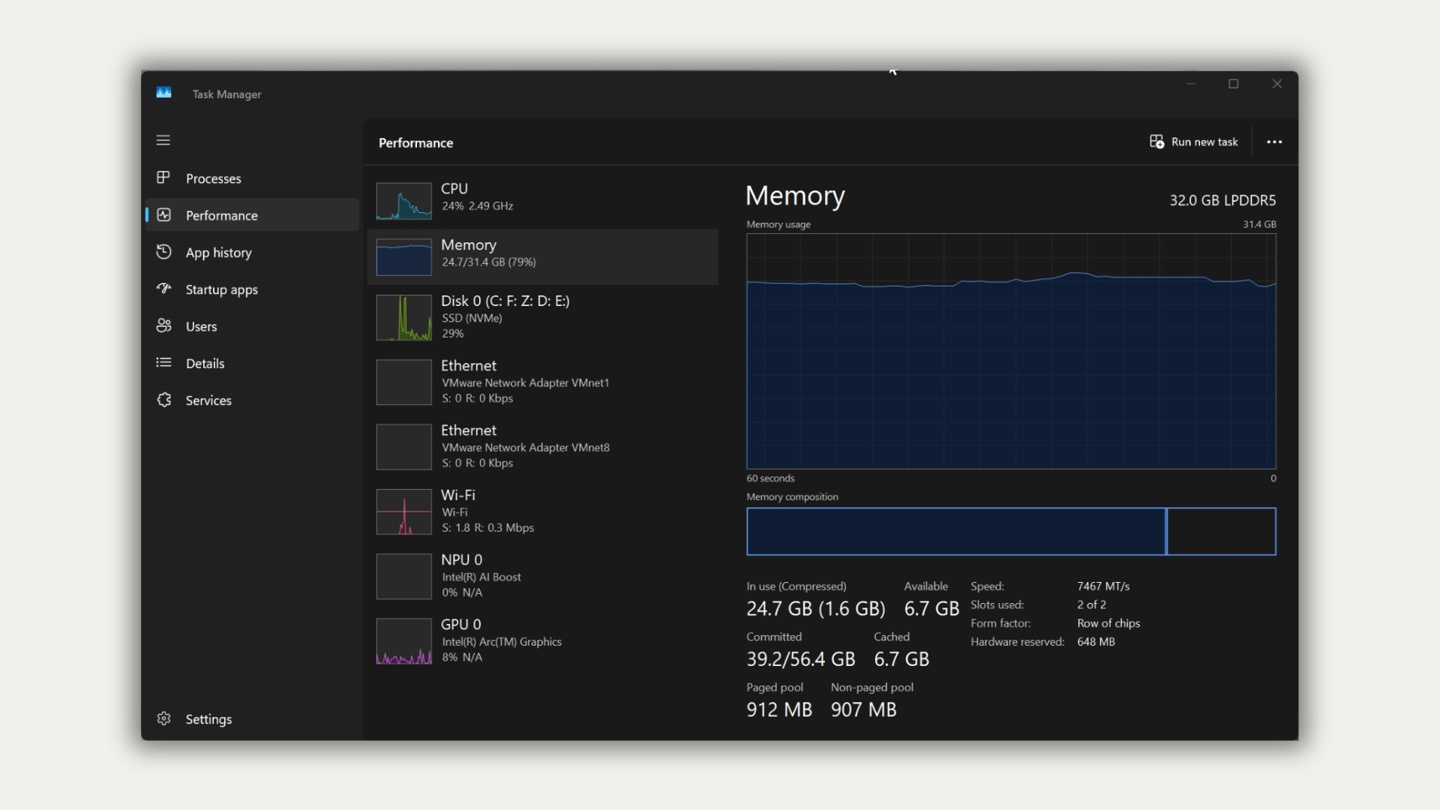
In a test case with 32GB of RAM, the system showed a committed memory usage of 39.2GB despite only 24.7GB being actively used. Disabling the page file lowered the commitment limit to below the physical RAM capacity, causing potential failures. Furthermore, the page file is essential for saving crash dumps, which are critical for troubleshooting system errors.
Experts recommend that users keep the default Windows setting, which allows the system to automatically manage the page file size based on current demand. While increasing the page file size provides more headroom, it does not serve as a substitute for upgrading physical RAM if the workload consistently exceeds hardware capacity.