Microsoft has released version 0.102 of its PowerToys utility for Windows 11, introducing new tools focused on cursor management and mouse input customization. These updates aim to improve productivity and accessibility for various hardware configurations.
The new CursorHide feature allows users to automatically hide the mouse cursor while typing or after a set period of inactivity. Users can configure the tool to trigger based on either condition or a combination of both.
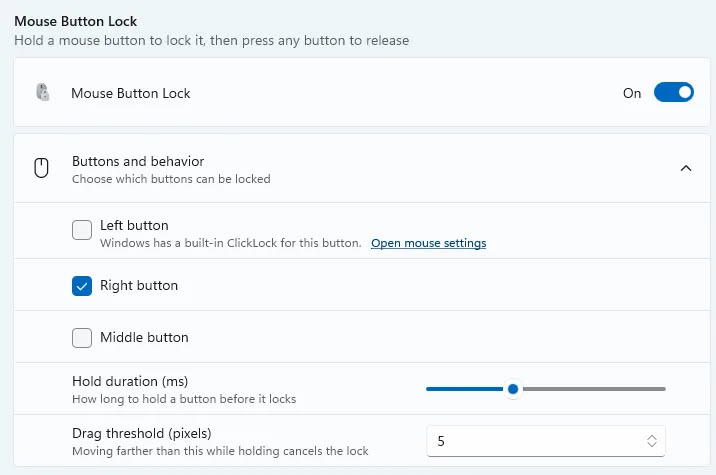
The Mouse Button Lock utility enables users to lock mouse buttons in a clicked state after holding them for a specific duration. This feature supports left, right, and middle buttons, making it useful for drag-and-drop operations on trackpads or trackballs.
To prevent accidental inputs, the Mouse Button Lock includes customizable settings for hold duration and movement thresholds. These adjustments help users fine-tune the tool to their specific hardware and workflow needs.