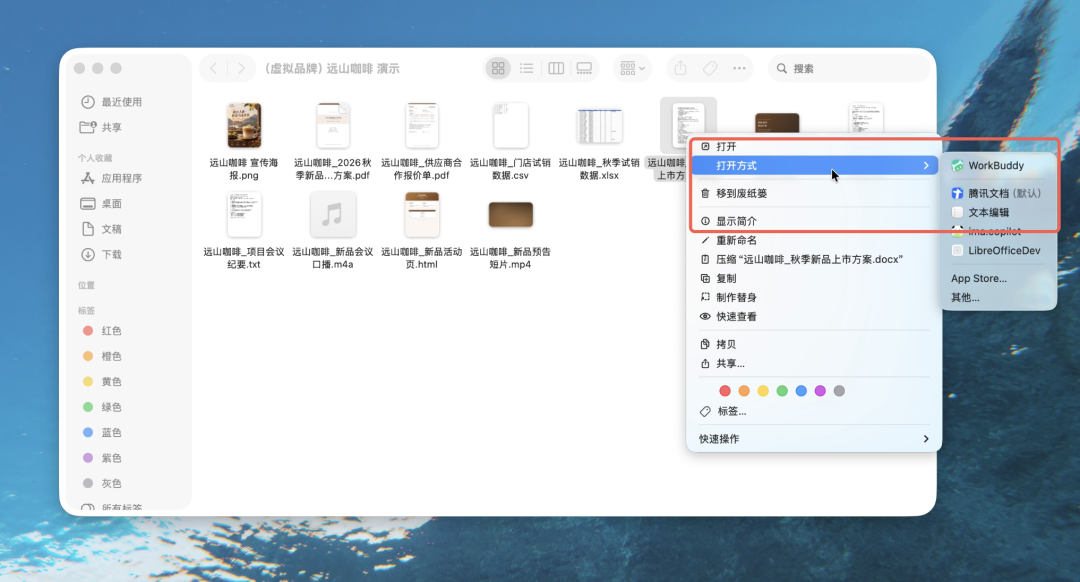
Tencent has introduced a standalone file browser for its AI-powered office tool, WorkBuddy. Users can now access local files directly through the file explorer or Finder by right-clicking and selecting the WorkBuddy option. This feature opens documents in a dedicated window, allowing for immediate AI-driven analysis and editing.
The browser supports a variety of formats, including Word, Excel, PPT, PDF, Markdown, and HTML. Users can manage multiple files simultaneously using a tabbed interface, where each tab maintains its own specific AI conversation history. The AI context automatically updates as the user switches between different document tabs.
The integration enables users to request modifications, rewrites, or content additions directly within the document. The AI applies changes to specific selected sections or the entire file. For formats like Word, Excel, and PPT, updates are saved back to the local storage using standard save commands, while Markdown and HTML files feature automatic saving.
Beyond standard editing, the tool allows users to generate new content based on existing data. For example, users can prompt the AI to create a web-based report using data from an open Excel file. The update is available to all current WorkBuddy users without the need for a separate download.