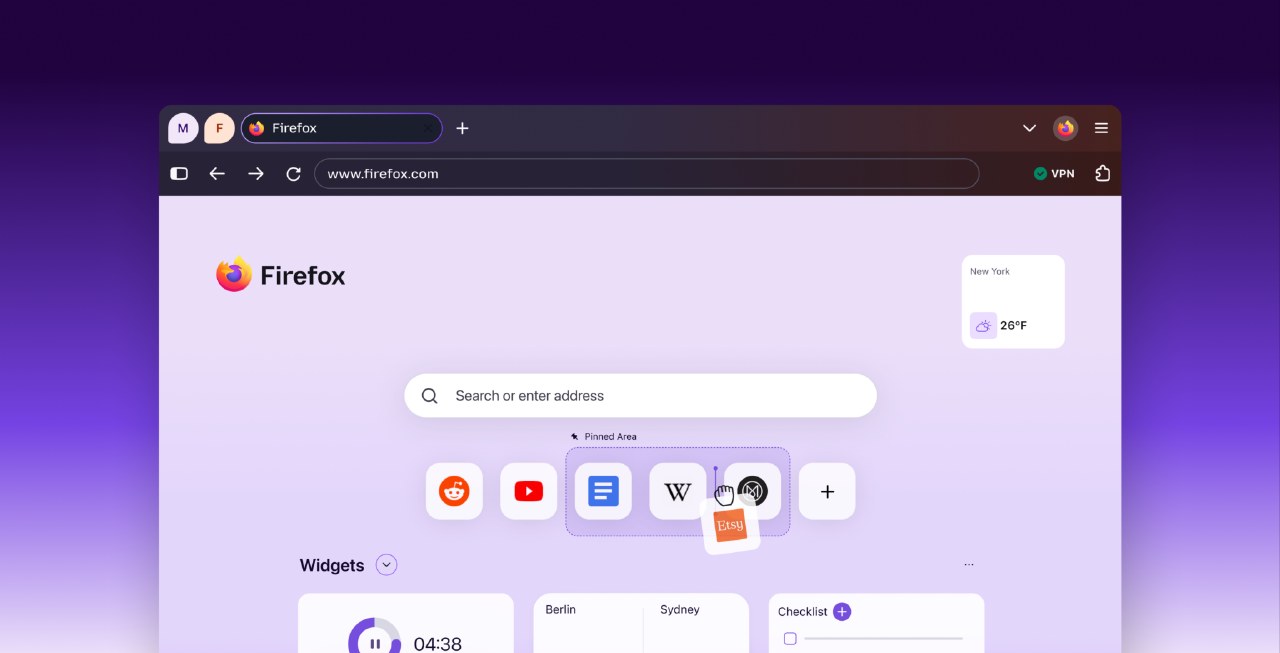
Mozilla has officially released the Firefox 157 browser update, which introduces a significant visual overhaul codenamed Nova. This update includes redesigned tabs, menus, toolbars, and settings pages, featuring a new gradient style for tabs intended to provide a more modern look.
Despite the visual changes, Mozilla has included a hidden configuration option for users who prefer the classic interface. By accessing the about:config page and searching for the browser.nova.enabled setting, users can toggle the value from true to false to revert to the previous design.
The process may require a browser restart to take effect, and users can switch back to the Nova interface at any time by resetting the value to true. Mozilla notes that this is an advanced configuration and does not guarantee that the option will remain available in future versions.
The company warns that modifying advanced settings carries potential risks, as it could lead to unexpected browser behavior depending on individual user environments and extensions. Users are advised to proceed with caution when adjusting these hidden parameters.