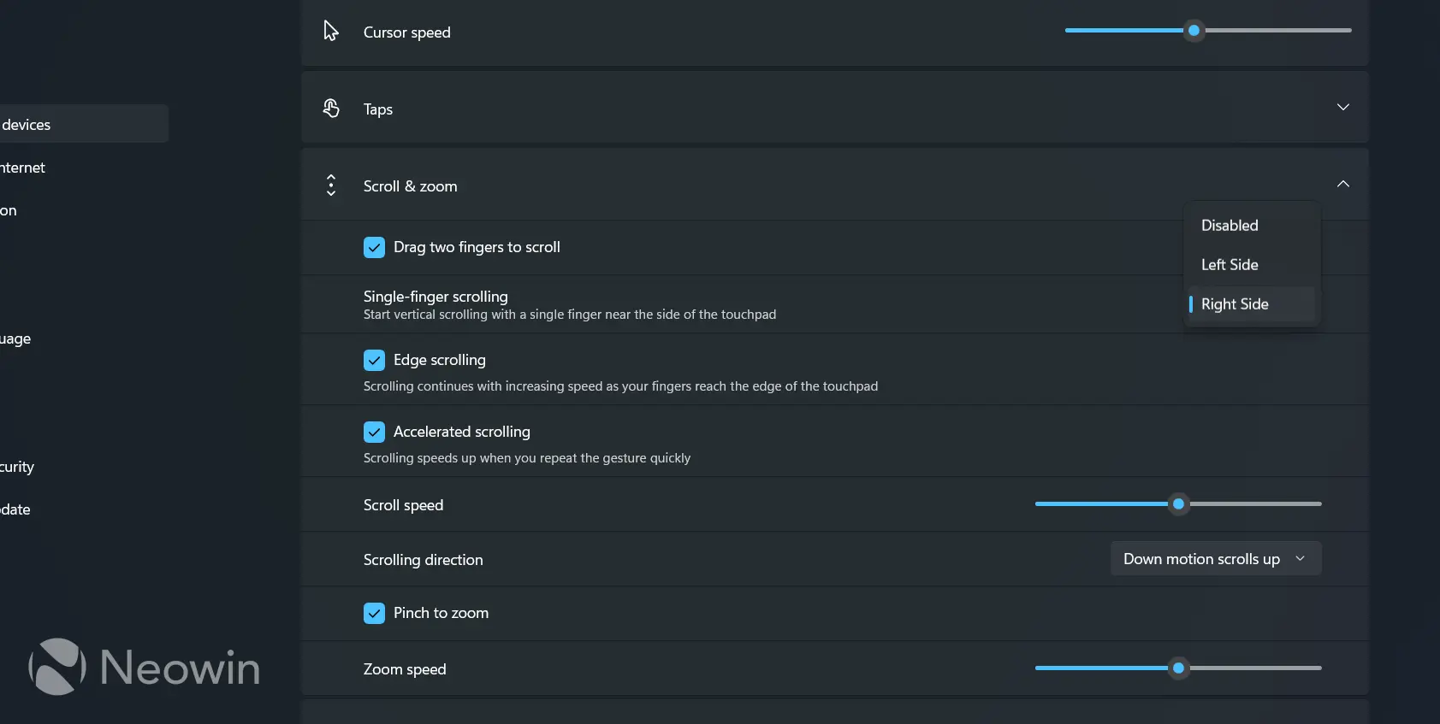
Microsoft has introduced a single-finger scrolling feature in the Windows 11 Build 26x00.9539 preview version. This update is specifically designed for laptops equipped with precision touchpads, allowing users to scroll vertically by sliding a finger along the left or right edge of the trackpad.
The new functionality complements existing multi-finger gestures, such as two-finger scrolling, zooming, and three-finger task switching, which are standard for precision touchpads. Users can enable the single-finger scrolling option by navigating to Settings, then Bluetooth and devices, and finally selecting the Touchpad menu.
Additionally, the preview build includes an automatic scrolling feature. When activated, this setting allows the system to continue scrolling even after the user's finger reaches the top or bottom edge of the trackpad. Microsoft is rolling out these updates in stages, meaning the features may not appear on all devices immediately.