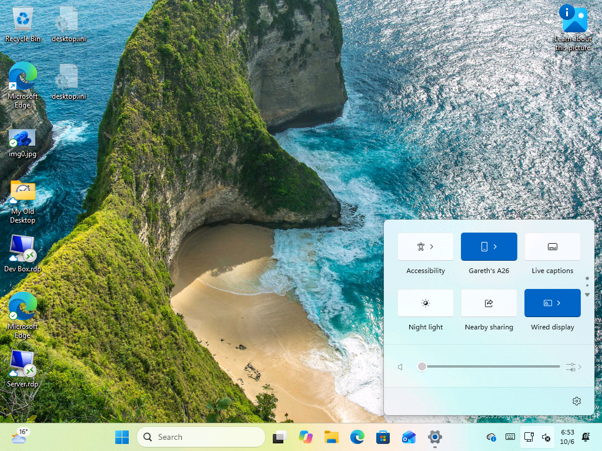
Microsoft has introduced a new Mobile Devices tile in the Quick Settings panel for Windows 11, specifically appearing in the Build 26340.9596 preview version. This feature allows users to access connected smartphones directly from the taskbar without needing to open the Phone Link application or navigate through the main settings menu.
Once a phone is paired, users can open the Quick Settings panel using the Windows key plus A shortcut. The interface displays the connected device, such as a Galaxy A26, and provides a dedicated page for mobile management. This page includes options to toggle Do Not Disturb mode, adjust volume, and trigger a sound to locate a misplaced device.
The panel also features a plus button for adding new devices and a link to advanced mobile settings. If no device is connected, the tile prompts the user to link a phone via the system settings. Additionally, if mobile device integration is disabled on the PC, the icon turns grey, and the system provides instructions on how to re-enable the functionality.