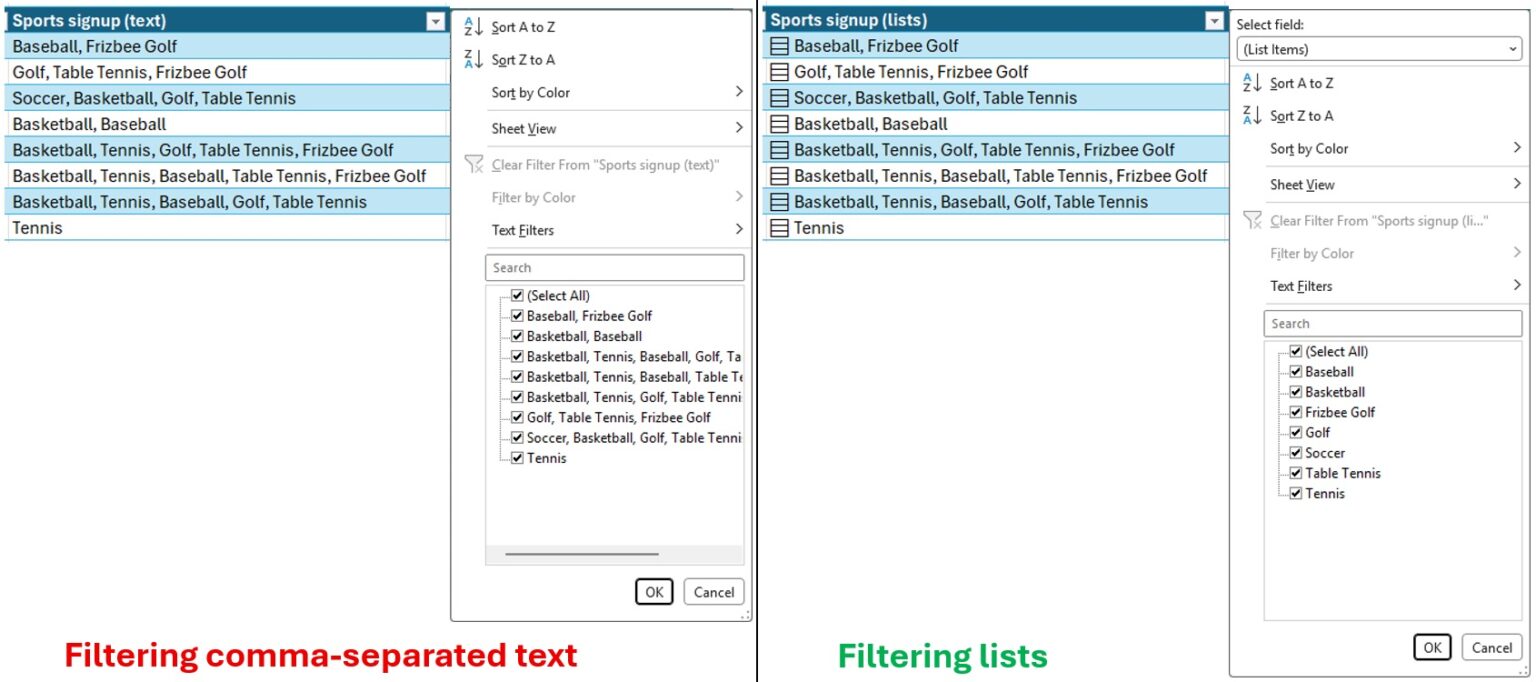
Microsoft is testing a new feature for Excel that allows users to store multiple values within a single cell. Previously, Excel treated content like names or tags as a single string, requiring users to split data into separate cells for filtering purposes.
Users can now create lists inside cells by selecting Insert followed by List, or by using the keyboard shortcut Ctrl+J. Items within these lists are separated by commas or semicolons, depending on the regional settings of the software.
The update introduces four new functions to manage these lists. The HAS function checks if a specific item exists within a cell, while HASANY and HASALL determine if any or all specified items are present. Additionally, the FLATTEN function simplifies nested arrays for easier data processing.
This functionality enables users to filter individual items directly from a list stored in one cell. For example, a user can filter records containing only one specific name from a list of multiple names, rather than processing the entire cell content as a single text block.