
Microsoft has introduced a Remote Lock feature for Windows 11, currently available in Insider Preview builds 26320.10003 and 26340.10013. This tool allows IT administrators to remotely lock lost or stolen corporate devices without deleting user data.
The feature is compatible with Windows Enterprise, Education, and Pro editions. It is managed via Microsoft Intune for devices joined to Microsoft Entra or registered in mobile device management systems.
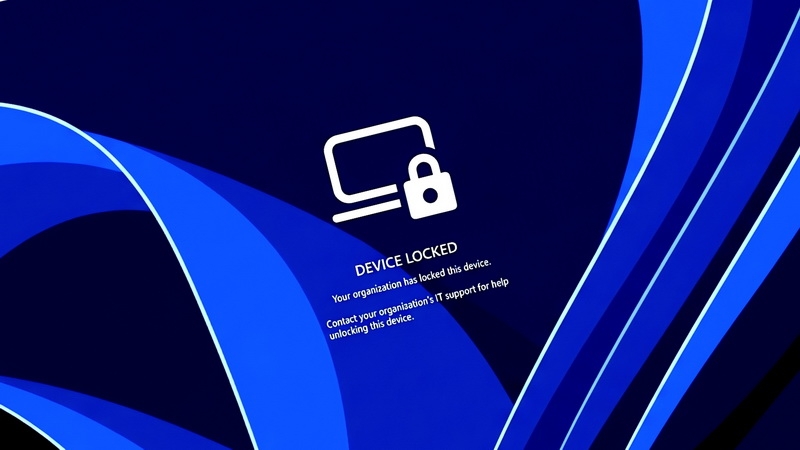
Once locked, the device disables all local login methods, including PINs and passwords. The system terminates active sessions and displays a lock screen. The state persists through reboots and offline periods, and only an administrator can unlock the device via Intune.
The company notes that user credentials remain valid for other devices. While Remote Lock secures the interface, it does not isolate the device from the network or wipe data; administrators must use separate Intune functions for those specific tasks.
Microsoft also began testing enhanced security key management for FIDO2, allowing administrators to enforce policies like PIN length and user verification. Additionally, new privacy tools now let users control desktop application access to cameras, microphones, and location data.