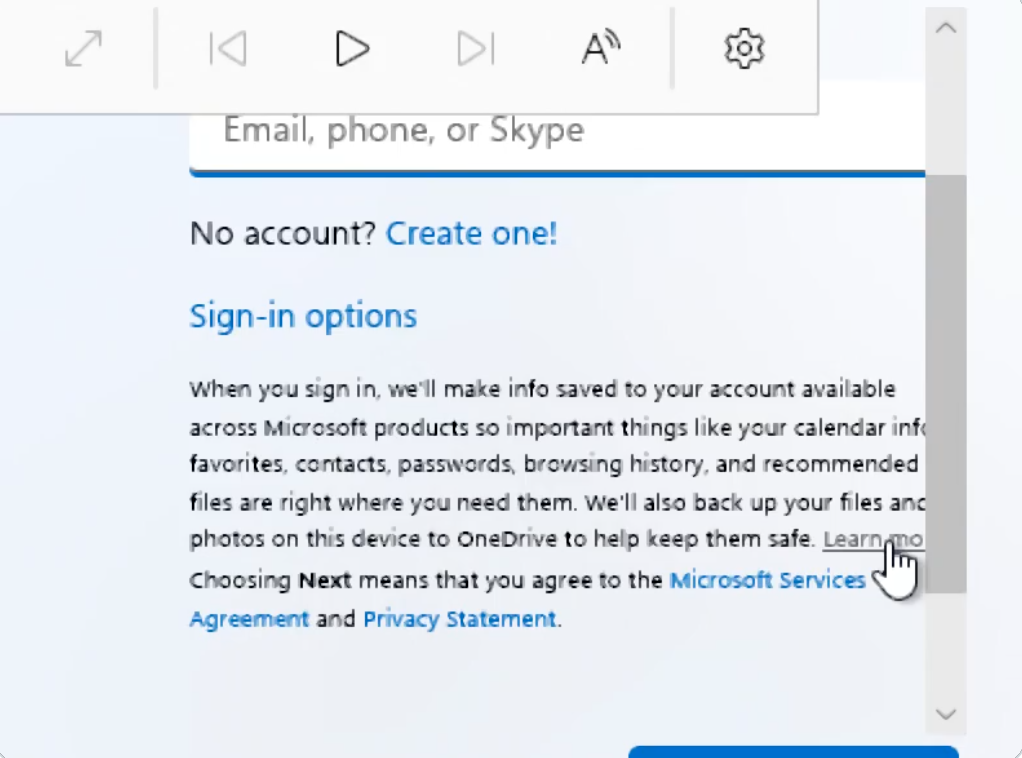
Enthusiast BobPony discovered a new method to bypass the mandatory Microsoft account login in Windows 11 Home edition. The workaround allows users to create a local account during the OOBE setup process.
Previously, users relied on methods like OOBE\BYPASSNRO, registry modifications, or specific commands to skip the login screen. Microsoft has gradually patched these options in recent updates, making local account creation more difficult.
The new technique involves clicking the Learn More hyperlink located in the text description below the account input field. This action triggers a redirect, automatically leading the user to the local account creation page instead of the expected informational content.
The behavior appears to be a technical error within the OOBE interface, which is designed to fetch content from the web. Experts suggest that Microsoft could easily disable this workaround by updating its backend servers to prevent the unintended redirect.