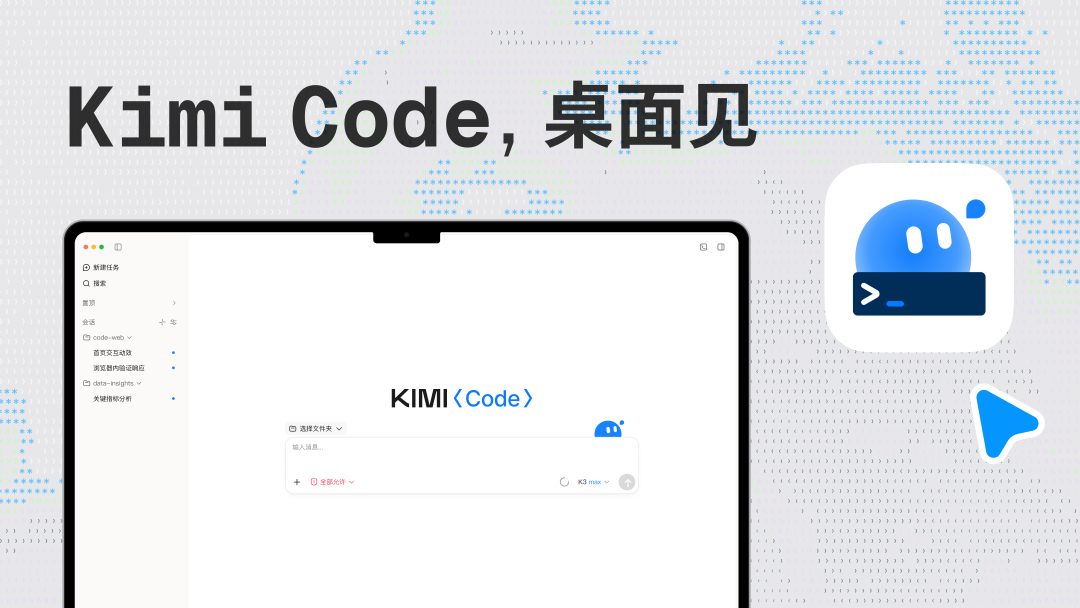
Moonshot AI has launched Kimi Code Desktop, a dedicated application for developers available on both macOS and Windows. The software is designed to integrate AI agent capabilities directly into the local development workflow, allowing users to manage projects, execute commands, and automate coding tasks through a graphical interface.
The desktop client includes built-in tools such as a terminal, a web browser, and Git integration. Developers can use these features to run and debug projects, review code changes, and track pull request statuses directly within the application. It also supports screenshot annotations for visual feedback and element inspection in the browser.
Kimi Code Desktop supports various operational modes, including a Plan mode for task analysis, a Goal-oriented mode for long-term projects, and Swarm or Tower modes for multi-agent collaboration. Users can sync their existing Kimi Code CLI tasks and manage their Kimi Coding Plan usage directly through the app.
The interface provides centralized management for sessions, configuration settings, and model permissions. Users can preview files, search across conversations, and adjust default model providers. The application is compatible with both Apple Silicon and Intel-based Macs, as well as Windows systems.