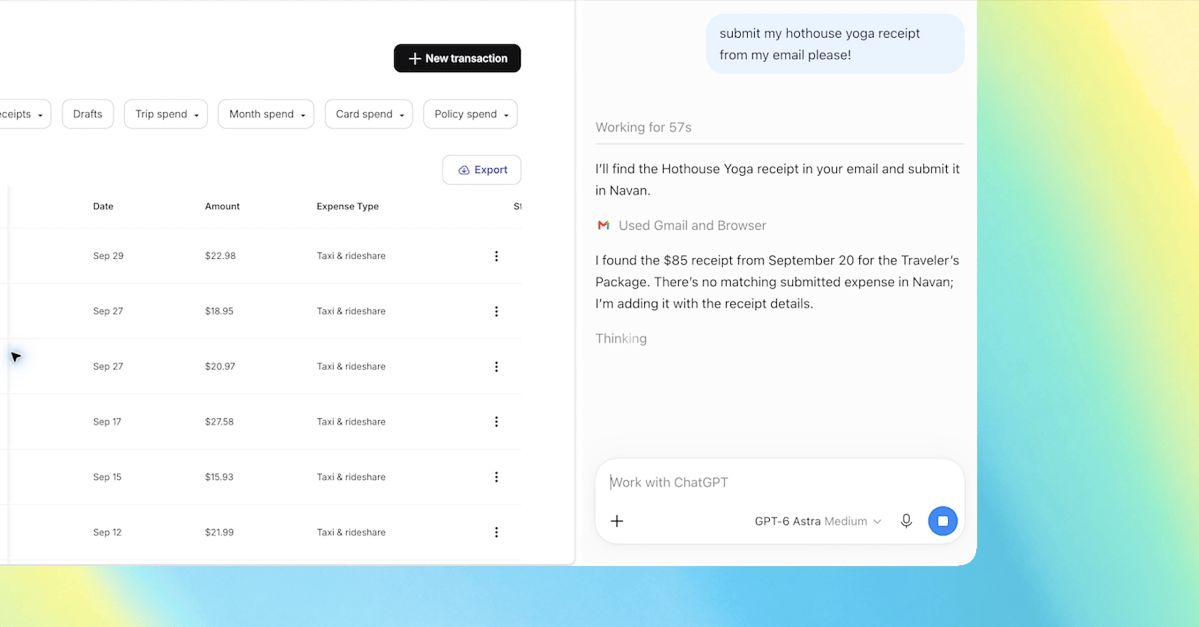
Telegram offers a built-in interface for AI agents using temporary messages, status blocks, and a Stop button. Developers can utilize the sendRichMessageDraft method to display real-time progress, such as search steps or reading tasks, by updating the draft with a specific draft_id.
To implement this, developers should link tool execution events to status updates. Each step, such as searching for microphone tests or reading reviews, is displayed in a thinking block. The interface supports custom emojis from the AIActions set via the getStickerSet method to provide visual feedback during agent operations.
The Stop functionality is managed through the stopped_message_generation update. When a user clicks the Stop button, the application must identify the specific task using the chat ID and draft ID, cancel ongoing tool operations, and cease further draft updates to prevent race conditions.
Final responses are sent using the sendRichMessage method, which replaces the temporary draft with a permanent message in the chat history. Developers are advised to handle potential UI blocking issues, such as those observed in specific Telegram Android versions where the input field might be disabled during active drafts.