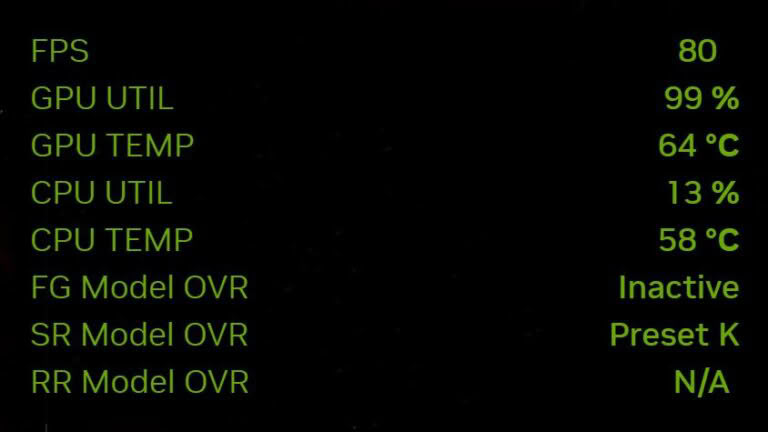
NVIDIA has released version 11.0.9 of its official application, introducing new monitoring capabilities to the built-in statistics overlay. Users can now track CPU temperature, clock speed, and power consumption directly within the software interface while gaming.
To activate the new metrics, users must access the statistics section via the Alt+Z menu and select the custom view. The overlay supports both horizontal and vertical layouts, with adjustable font sizes and colors. It also functions alongside DLSS override tracking.
Despite these additions, the tool does not fully replace third-party monitoring software like HWiNFO or MSI Afterburner. It lacks data on VRAM and system RAM usage, and CPU utilization is displayed as a single aggregate figure rather than per-core metrics.